
EHOMEAFFAIRS · OFFICIAL ROUTE · INDEPENDENT GUIDE
eHomeAffairs Portal Guide 2026: Find the Current Official Route
Seeing more than one Home Affairs portal name and unsure which one is official? This guide helps you tell eHomeAffairs apart from similarly named portals, choose the correct account route for your task, and continue through the official Register or Logon flow, without entering any private details on this website.
Reviewed by the Home Affairs Guide editorial team against official sources: dha.gov.za · ehome.dha.gov.za · gov.za · This is an independent guide, not a Department of Home Affairs website.
\n
What is the eHome Affairs portal and how do I use it?
\n
eHomeAffairs is the Department’s official portal for online applications, branch bookings and related tasks. Open the official DHA eHomeAffairs page first, look for the Home Affairs branding and the public Register / Logon areas, then choose the correct account route: Register as a new user, or Logon as a returning user.
VISUAL WALKTHROUGH
Open the official DHA eHomeAffairs page
Open the official DHA eHomeAffairs page. Look for the Home Affairs branding, the eHomeAffairs heading and the public Register / Logon areas before entering anything, this is the screen that proves you are on the real service.
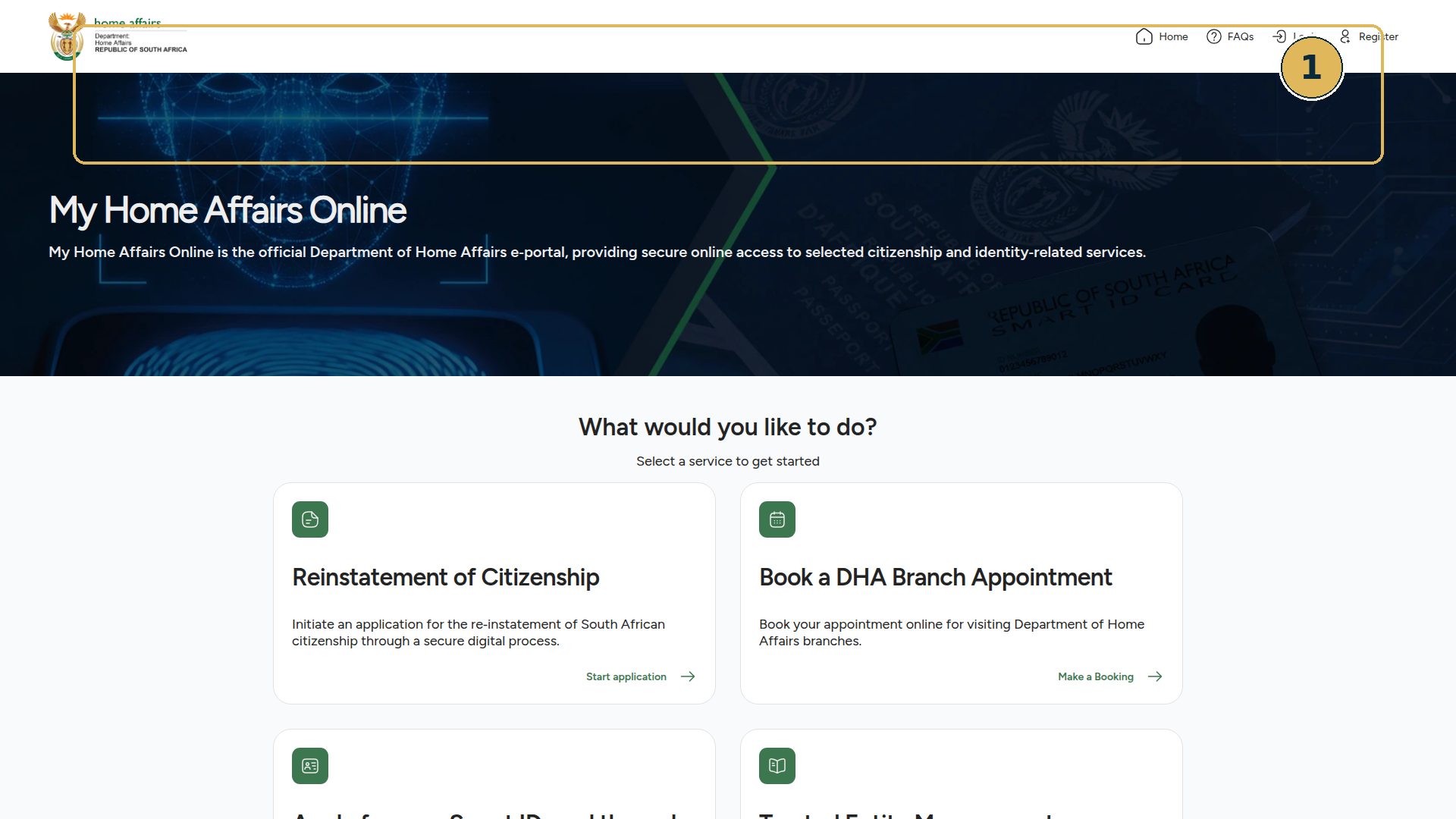
Where to look: the RED ring in the screenshot above marks the official Register and Logon areas on the real eHomeAffairs page. If the page you opened does not match this layout, stop and start again from the official link.
VISUAL WALKTHROUGH
Choose the correct account route
If you are a new user, use the official Register panel. The page explains that the official process can create a profile, capture an application, attach supporting documents, make payment and schedule an allowed appointment. Returning users use the official Logon panel, the page may request an ID number, password, CAPTCHA and an OTP sent to the linked cellphone.

Where to click: the RED ring in the screenshot above marks the account route choice. New users choose Register; returning users choose Logon. Keep your ID number, password and OTP on the official portal only.
VISUAL WALKTHROUGH
Continue through the official flow and re-check the route
Continue through the official Register or Logon flow for your specific task, an online application, branch booking, collection question or contact issue may lead to different official pages. Portal labels and service paths can change, so read the page currently published by DHA rather than relying on a copied instruction.
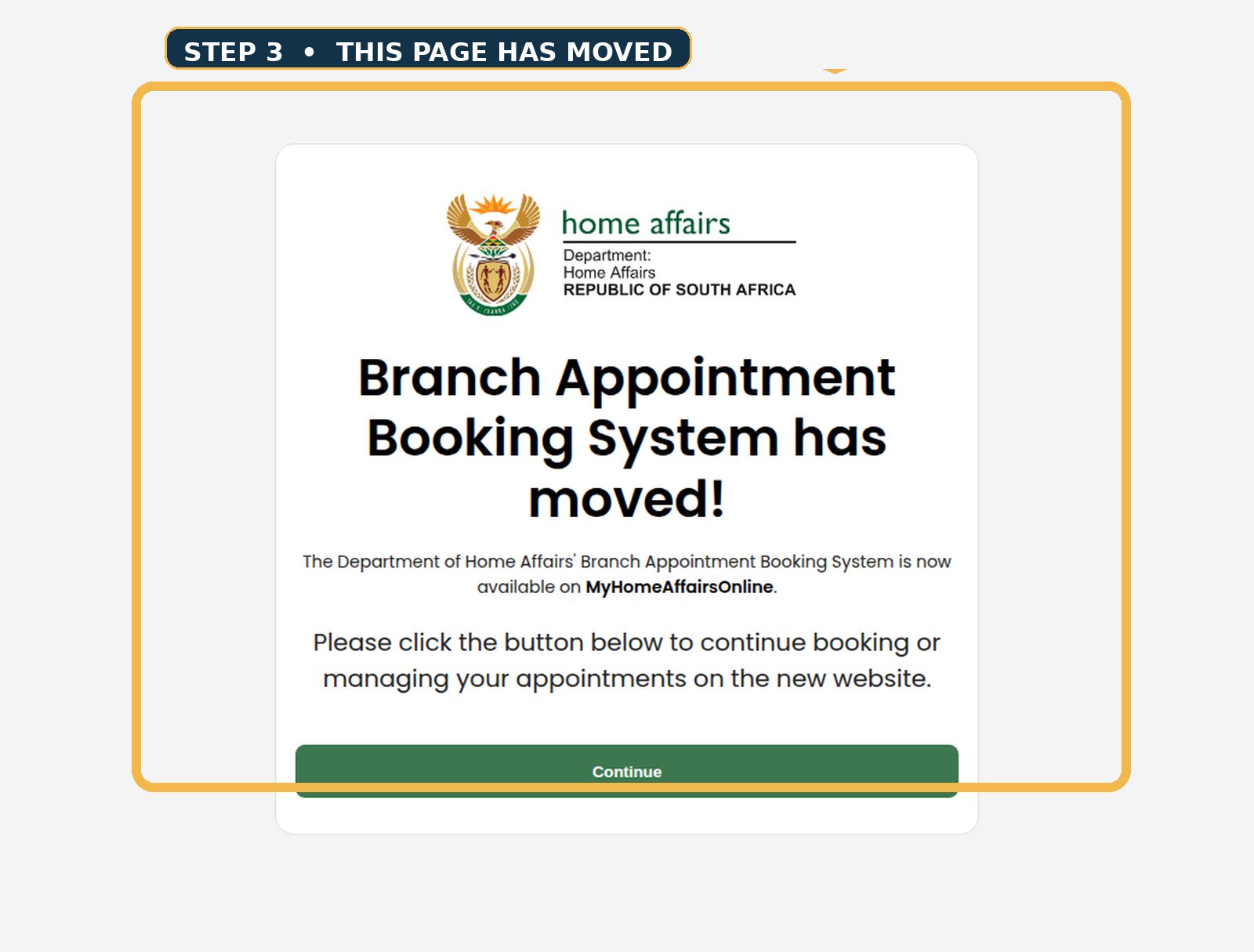
Where to look: the RED ring in the screenshot above marks the task-specific route on the live Department page. Before you act on an old screenshot or saved link, re-check the current official instruction.
CRITICAL, READ BEFORE YOU LOG IN
A familiar portal name is not enough
Search results and social-media posts mix the public eHomeAffairs landing page with private account screens, and scam sites copy the DHA look. Using the wrong portal can send your ID number, password or OTP to a copy that has nothing to do with the Department.
Warning: if any website that looks like Home Affairs asks for payment to this guide or to an unknown account, close it immediately and start again from the official link above.
KNOW THE DIFFERENCE
eHomeAffairs vs other official routes
Two portal names, one decision, separate them before you enter any details. This table records what the official routes are for; it does not promise availability or processing times.
| Route | What it is for | Where to start |
|---|---|---|
| eHomeAffairs | Selected online ID and passport applications, supporting documents, payments and bookings where the official route allows them. | The official eHomeAffairs destination linked above, reached from a current DHA page. |
| My Home Affairs Online | The current public portal for selected services such as branch appointment booking, partner-branch Smart ID routes and application tracking. | The live booking instruction published by the Department, follow the account-controlled service, not an old bookmark. |
| gov.za service pages | Government service descriptions for identity documents and passports, how the official process works in plain language. | The gov.za identity-document and passport service pages for your task. |
| DHA contact routes | When the portal does not answer your question: current contacts, office information and service notices. | The official DHA contact page and service notices. |
AVOID THESE PITFALLS
4 common mistakes to avoid
These are the errors that cause the most trouble for portal users. Each one is easy to avoid once you know about it.
Guessing from an old portal page
Old screenshots and saved bookmarks go stale. Start from the current official destination every time, official services, requirements and participating locations can change.
Typing details into a lookalike form
Scam sites copy the DHA design. Check the domain before you type anything. An independent guide should never ask for ID numbers, passwords, OTPs or payments.
Mixing up the two portal names
eHomeAffairs and My Home Affairs Online serve different routes. Identify your task first, then pick the destination the Department links for it, do not assume one portal covers everything.
Creating a second account when the screen looks different
If the password or CAPTCHA fails, use the portal’s own reset or help route. Do not create a second account just because an old screenshot looks different, duplicate accounts create more problems.
AFTER YOU LOG IN
What happens after you enter the portal
Getting through the login is the beginning, not the end. Here is what the official flow typically involves once you are inside.
Complete the official capture
The official process can create a profile, capture an application, attach supporting documents, make payment and schedule an allowed appointment. Fees and payment channels can change, pay only inside the official service.
Follow the branch or partner step
Some services still need biometric capture or collection at a branch or partner location. Your confirmation from the portal tells you where and when, read it, do not guess.
Track and re-check the official route
Use the official tracking or booking instruction for updates. If a portal name or link has changed since your last visit, return to the official DHA contact or service page and use the current notice.
COMMON READER QUESTIONS
eHomeAffairs portal, quick answers
What is the difference between eHomeAffairs and My Home Affairs Online?
They may serve different public DHA routes. Read the current official service wording and use the destination linked by DHA for your specific task.
Which portal should I use for a branch appointment?
Check the current official DHA booking notice and follow the live portal instruction rather than assuming that every Home Affairs service uses one destination.
Is this website an official Home Affairs portal?
No. It is an independent orientation guide and does not process forms, accept payments, collect identity information or inspect records.
How can I recognise a safer link?
Prefer a destination reached from a current DHA or South African Government page and check the official domain before entering any details.
What should I do if a portal name or link has changed?
Return to the official DHA contact or service page, read the current notice and use that route instead of an old search result.
Can I pay for my application on this website?
No. Fees and payment channels can change, so make any payment only in the official service, the official portal describes profile creation, application capture, supporting documents, payment and allowed appointments. Fees subject to change, verify at dha.gov.za.
Can I apply for a Smart ID on eHomeAffairs?
The eHomeAffairs portal can support selected online ID and passport applications where the official route allows them. Check the current official wording for eligibility, supporting documents and whether a branch or partner step is still required, then use the destination DHA links for your task.
What do I need before I register on the portal?
Read the current official Register instructions first: new users may need to create a profile, while returning users use the official Logon flow with ID number, password, CAPTCHA and an OTP sent to the linked cellphone. Keep all of those details on the official portal, never on an independent guide.
BEFORE YOU START
Who This eHomeAffairs Guide Is For
This guide is for anyone who has seen more than one Home Affairs portal name and needs to identify the official starting point without guessing from an old link. It covers how to recognise the real eHomeAffairs portal, how to choose between the Register and Logon routes, and how to move from this independent explanation to the official destination safely.
Use this guide if
- You are unsure which portal name is official
- You need to register or log in for an ID or passport task
- You want to check a link before entering private details
Go straight to the official route if
- You already know the correct portal for your task
- You are a returning user with an existing account
- You need branch booking or application tracking
GOOD TO KNOW
eHomeAffairs Facts Worth Knowing
A few facts that keep portal users out of trouble:
eHomeAffairs, My Home Affairs Online and gov.za service pages are different public routes. Matching the name to your task is the first step.
New users register a profile; returning users log on with ID number, password, CAPTCHA and an OTP. Using the wrong door causes most login failures.
The official login screen states that an OTP may be sent to the cellphone linked to the account. It is never requested by this guide or any helper on social media.
Some applications still require biometric capture or collection at a branch or partner location. The portal confirmation tells you what applies to your case.
Portal labels and service paths can change. When in doubt, read the live Department page rather than a forwarded image.
USE THE CURRENT OFFICIAL ROUTE
Start only on the official portal
Portal names, labels and service paths can change. Use the screenshots above to recognise the official eHomeAffairs route, and never enter your ID number, password, OTP or payment details anywhere except the Department’s own service.
Related guides: complete appointment guide · my home affairs online guide · apply for smart id card
INDEPENDENT GUIDE DISCLOSURE
This is an independent guide and is not affiliated with the Department of Home Affairs. It does not process forms, accept payments, collect identity information or inspect records. Portal screens, service availability, fees and requirements change, always verify the current official position at dha.gov.za or ehome.dha.gov.za. © 2026 Home Affairs Guide South Africa.