
MY HOME AFFAIRS ONLINE · OFFICIAL ROUTE · INDEPENDENT GUIDE
My Home Affairs Online 2026: Official Portal Guide
My Home Affairs Online is the Department of Home Affairs e-portal for selected citizenship and identity-related services. This guide shows you how to read the public portal, branch appointments, service applications, partner branches and tracking, and where the public guide ends and your private official account actions begin.
Reviewed by the Home Affairs Guide editorial team against official sources: dha.gov.za · myhomeaffairsonline.dha.gov.za · gov.za · This is an independent guide, not a Department of Home Affairs website.
VISUAL WALKTHROUGH
Open the portal from the current official route
Start from the current My Home Affairs Online address or an official DHA link before choosing a service. The address bar is your proof, the Department’s own domain must show there before you click anything else.
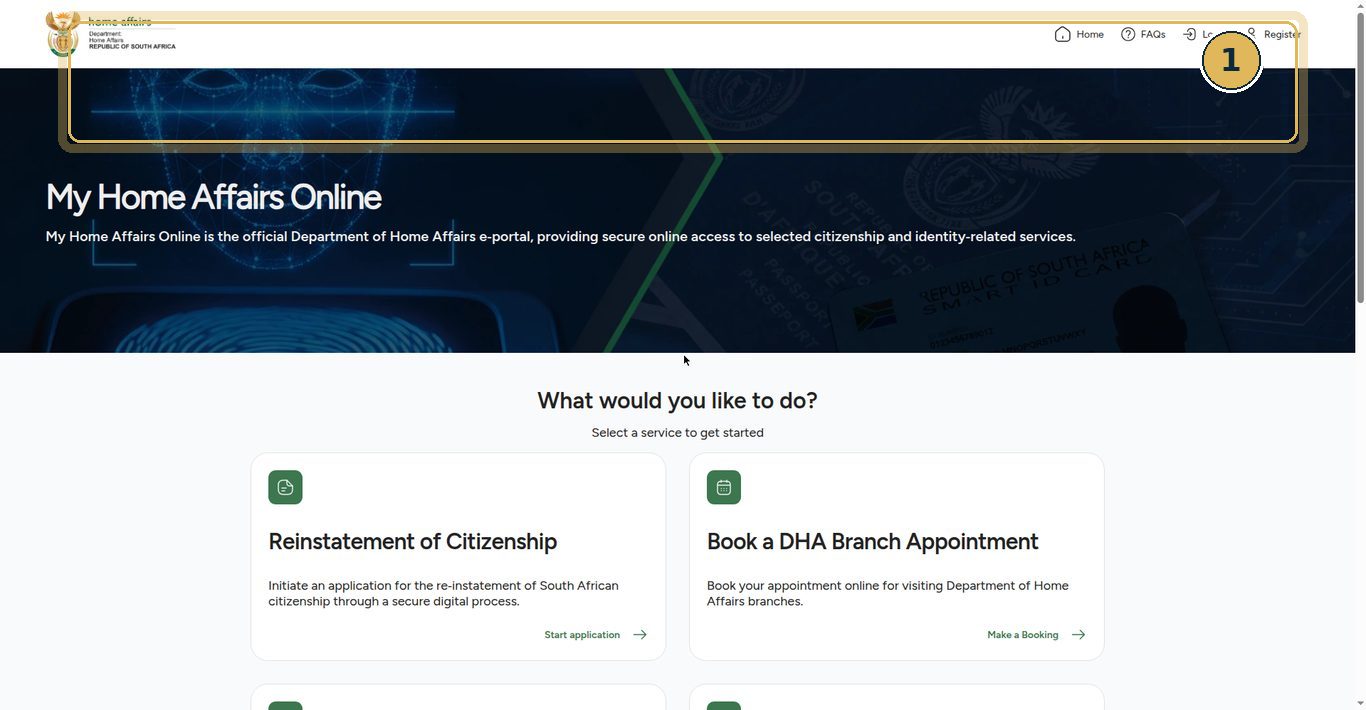
Where to look: the GOLD ring in the screenshot above marks the official portal address and the visible entry points. If the address bar shows anything other than the Department’s domain, stop and start again from the official link.
Open the official portal ↗
VISUAL WALKTHROUGH
Match the visible service to your task
Separate branch appointment booking, service applications, partner-branch options and application tracking. Choose only the service that matches your task, the portal lists selected services, not every Home Affairs task.
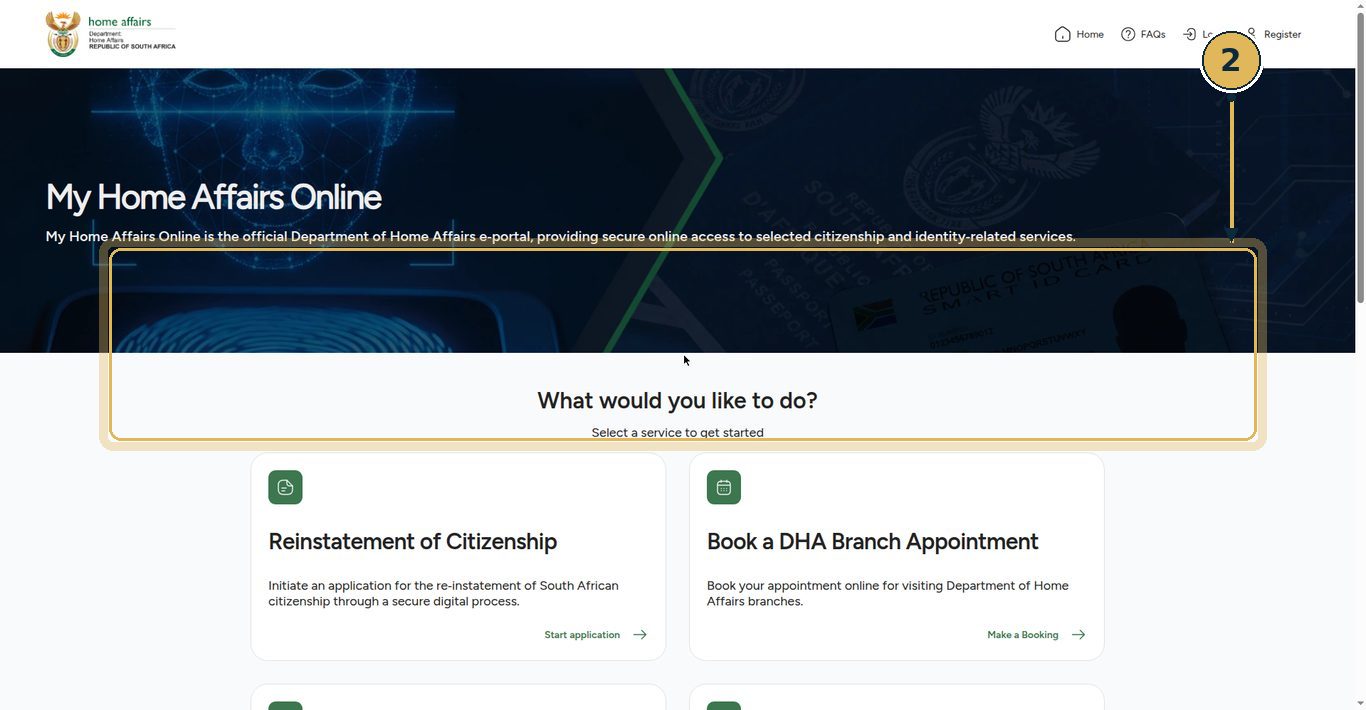
What to choose: the GOLD ring in the screenshot above marks the visible service labels. Read the description under each label, booking, application, partner branch or tracking, and continue only with the one that matches your task.
Open the official portal ↗
VISUAL WALKTHROUGH
Keep account actions on the official service
If the official service asks for an account, keep registration, login and any one-time PIN steps inside the Department’s own domain. Never share those details with this guide, a caller or a social-media helper.
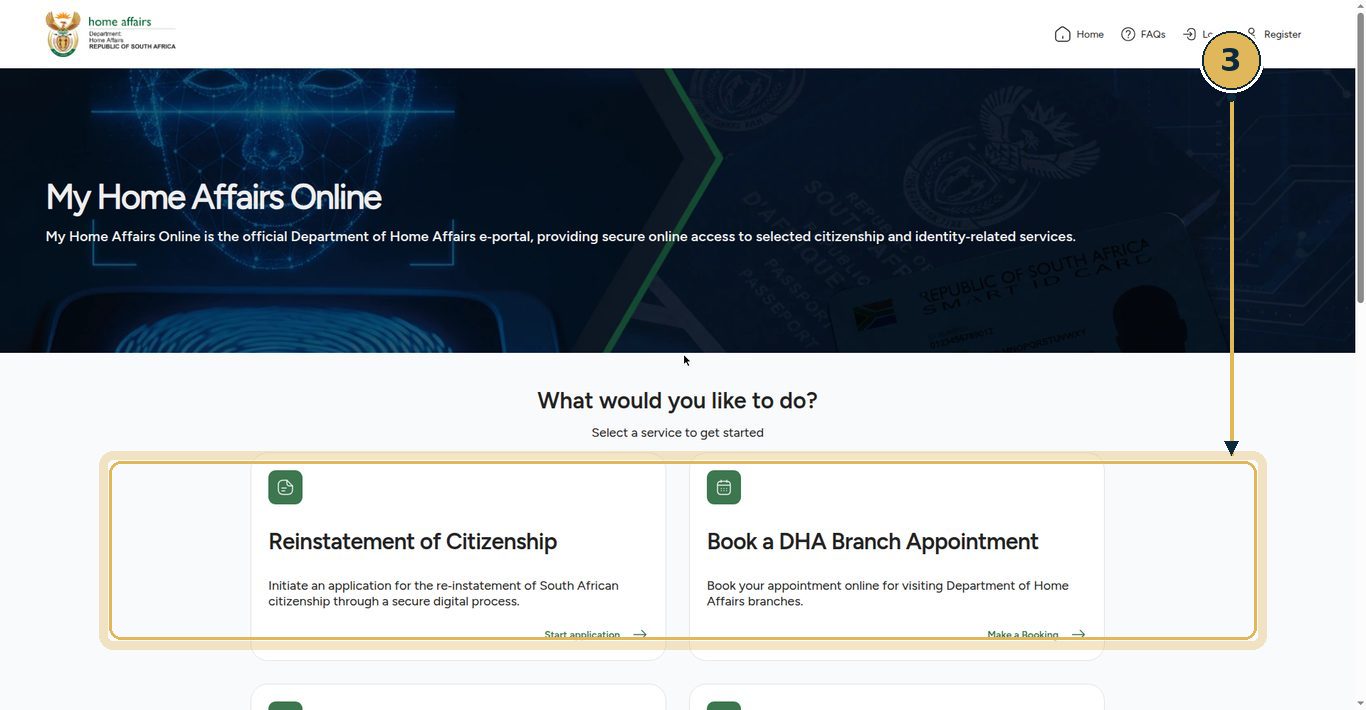
How to continue: the GOLD ring in the screenshot above marks the official service area, use the Register and Logon links in the header for account actions. Create or sign in to your account only there, then choose the exact task displayed and follow the official instructions.
Open the official portal ↗
CRITICAL, READ BEFORE YOU REGISTER
The public guide ends before account details begin
This page can show you the public screens and the official route. It cannot see your account, your application or your appointment, and it must never receive anything that identifies you. Use the boundary below on every visit.
Warning: if any website that looks like Home Affairs asks for your login or payment details outside the Department’s domain, close it immediately and start again from the official link above.
PORTAL AT A GLANCE
My Home Affairs Online, what the public portal shows
The portal presents selected services, account actions and official next steps. Read the current public wording, then continue on the official account screen.
| What you see | What it means | Where the action belongs |
|---|---|---|
| Book a DHA branch appointment | The current public portal lists branch appointment booking as a service for visiting Department of Home Affairs branches. | Official portal, follow the live booking path and save the confirmation. |
| Apply for available services | The portal lists selected services. The exact application route depends on the service description and current official instructions. | Official portal, use the official page rather than assuming one universal path. |
| Partner-branch options | Some services point to partner-branch routes from the public screen. | Official portal, follow the current linked instruction for your task. |
| Track your applications | The public portal describes tracking as an account feature. | Official account screen only, this guide cannot view a private application or status. |
| Official FAQs and registration | The portal publishes its own FAQ and registration pages on the Department domain. | Official portal, read the current official wording, not old screenshots. |
AVOID THESE PITFALLS
4 common mistakes to avoid
These are the errors that cause the most trouble for portal users. Each one is easy to avoid once you know about it.
Trusting an old eHomeAffairs bookmark
Old links and saved bookmarks go stale. Start from the current official DHA or My Home Affairs Online page every time, current official wording takes priority over old screenshots and copied instructions.
Logging in on a lookalike screen
Scam sites copy the DHA look. Check the official domain before typing anything. An independent guide should never ask for your ID number, password, OTP or payment.
Assuming the portal does everything
The portal covers selected services. Read the service label first, do not assume that every Home Affairs task is available through the same screen.
Skipping the official confirmation
Every booking, application or account step produces an official confirmation. Save it, a screenshot alone on a third-party site is not proof.
AFTER YOU ENTER THE PORTAL
What happens after you register or log in
The account screens belong to the official service. Here is what to expect once you are inside.
Choose the exact task displayed
The official screens show the available tasks for your account. Select only the option that matches the service label you read on the public page.
Follow the official instructions
Complete the official capture, attach supporting documents, make any required payment inside the official service and schedule an allowed appointment. Fees and payment channels can change, pay only inside the official service and verify current amounts at dha.gov.za.
Keep the confirmation
Save the confirmation the portal produces for your records. If the portal wording has changed since your last visit, re-read the current official instruction before acting.
BEFORE YOU START
Who the My Home Affairs Online guide is for
This guide is for anyone using the My Home Affairs Online portal, whether you are booking for the first time or troubleshooting access issues.
First-time users
Start with account creation and identity verification. Have your ID number and contact details ready.
Returning users
If you already have an account, use the troubleshooting steps in this guide for login and booking issues.
GOOD TO KNOW
My Home Affairs Online, key facts
COMMON READER QUESTIONS
My Home Affairs Online, quick answers
What is My Home Affairs Online?
It is the official Department of Home Affairs e-portal providing secure online access to selected citizenship and identity-related services.
Can I book a DHA branch appointment there?
The current public portal lists “Book a DHA Branch Appointment” as a service for visiting Department of Home Affairs branches. Use the official portal to see the current booking path.
Can I apply for a Smart ID through the portal?
The portal lists selected services, while the exact application route depends on the service description and current official instructions. Use the official page rather than assuming every Smart ID task follows one universal path.
Can this guide log me in or track my application?
No. This site does not access DHA accounts, accept credentials, receive identity details or check application progress. Those actions belong only on the official portal.
What if an old eHomeAffairs link looks different?
Start from the current official DHA or My Home Affairs Online page. Current official wording takes priority over old screenshots, bookmarks and copied instructions.
What should I check before I register or sign in on the portal?
Start from the current My Home Affairs Online address or an official DHA link, and confirm the official domain before choosing a service. If the official service asks for an account, keep registration, login and any one-time PIN steps inside the Department’s own domain, never share those details with this guide. Read the service label, choose only the option that matches your task, and save the confirmation the portal produces for your records.
What do I need before I register on the portal?
You need your official South African ID details and a way to receive the Department’s verification messages. Complete registration only inside the official service, and keep your login details private, an independent guide never asks for them.
How is My Home Affairs Online different from eHomeAffairs?
They may serve different public DHA routes. Read the current official service wording on each destination and use the one the Department links for your specific task. For a detailed comparison, see our eHomeAffairs portal guide.
USE THE CURRENT OFFICIAL ROUTE
Start only on the official portal
Portal names, labels and service paths can change. Use the screenshots above to recognise the official My Home Affairs Online route, and never enter your ID number, password, OTP or payment details anywhere except the Department’s own service.
Related guides: complete appointment guide · eHomeAffairs portal guide · apply for smart id card · home affairs contact number
INDEPENDENT GUIDE DISCLOSURE
This is an independent guide and is not affiliated with the Department of Home Affairs. It does not process forms, accept payments, collect identity information or inspect records. Information compiled from official South African Government sources (gov.za, dha.gov.za, myhomeaffairsonline.dha.gov.za). Portal screens, service availability, fees and requirements change, always verify the current official position at dha.gov.za or myhomeaffairsonline.dha.gov.za. © 2026 Home Affairs Guide South Africa.